Your Windows Password Is Only as Safe as Your Boot Screen
What my review of the Windows Security Account Manager (SAM) found, in five minutes
Every Windows PC keeps its local account passwords in one place: the Security Account Manager, or SAM. While Windows is running, SAM is well protected. Only one system process is allowed to touch it, and the hashes inside are encrypted.
That protection quietly depends on one thing: the copy of Windows reading SAM has to be the one that’s actually installed. Boot the machine from something else, or pull the disk out, and that guard never gets asked.
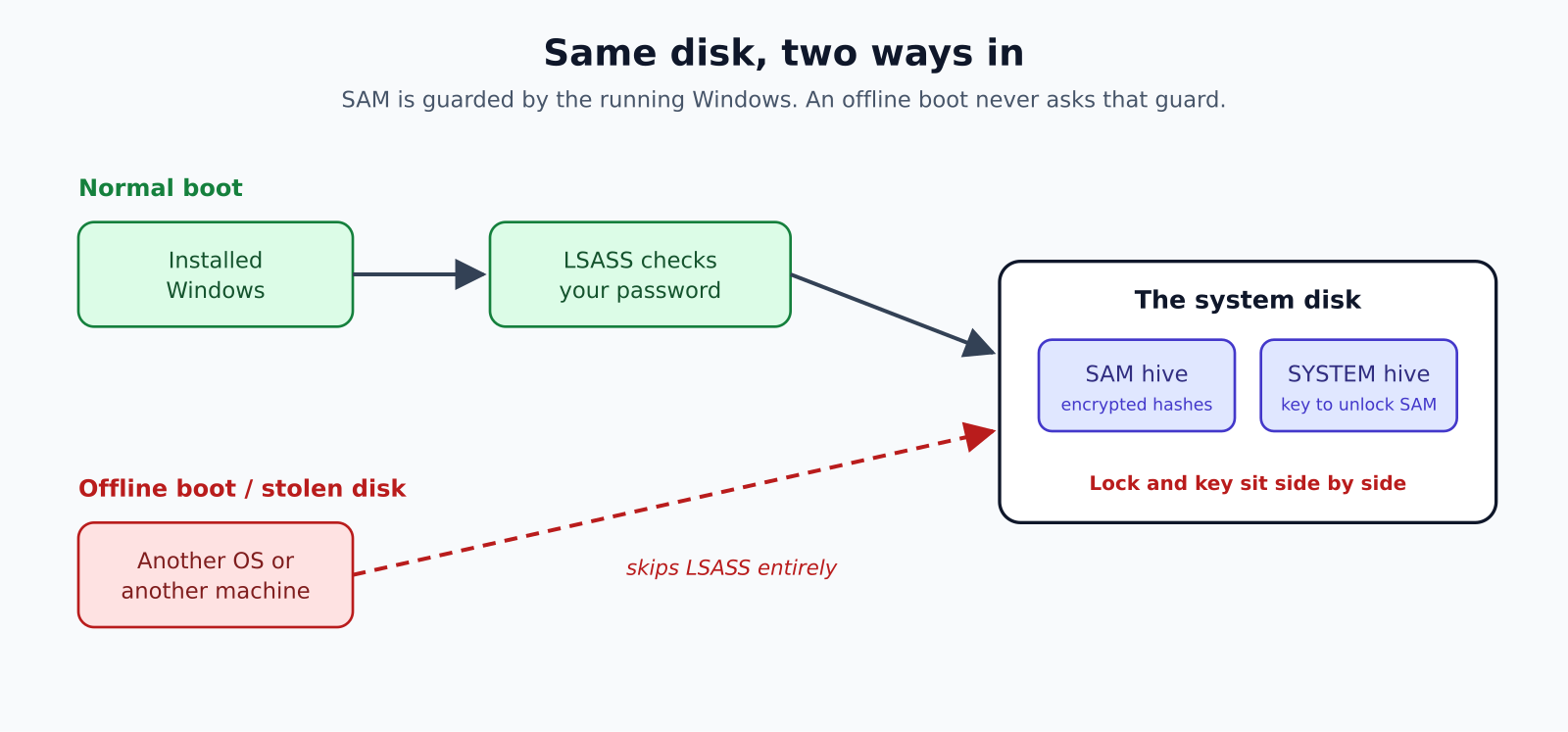
The awkward detail is that the encrypted hashes (in the SAM hive) and the key that unlocks them (in the SYSTEM hive) sit on the same disk. The encryption keeps other programs out on a running system. It was never meant to stop someone who has the disk itself.
The short version#
- “SAM bypass” isn’t one bug. It’s five separate weaknesses: offline disk access, offline password cracking, pass-the-hash, tampering with what runs at the login screen, and cached credentials on stolen laptops. Each one needs a different fix.
- Offline access is the gate. Block it and most of the other weaknesses go with it.
- Windows doesn’t salt these hashes. The same password gives the same hash on every machine. A stolen hash can be used to log in directly, without being cracked first.
- On current Windows, protecting SAM at rest really means full-disk encryption. Microsoft removed the old
syskeyoption in Windows 10 version 1709 and recommends BitLocker instead.
Three things people get wrong#
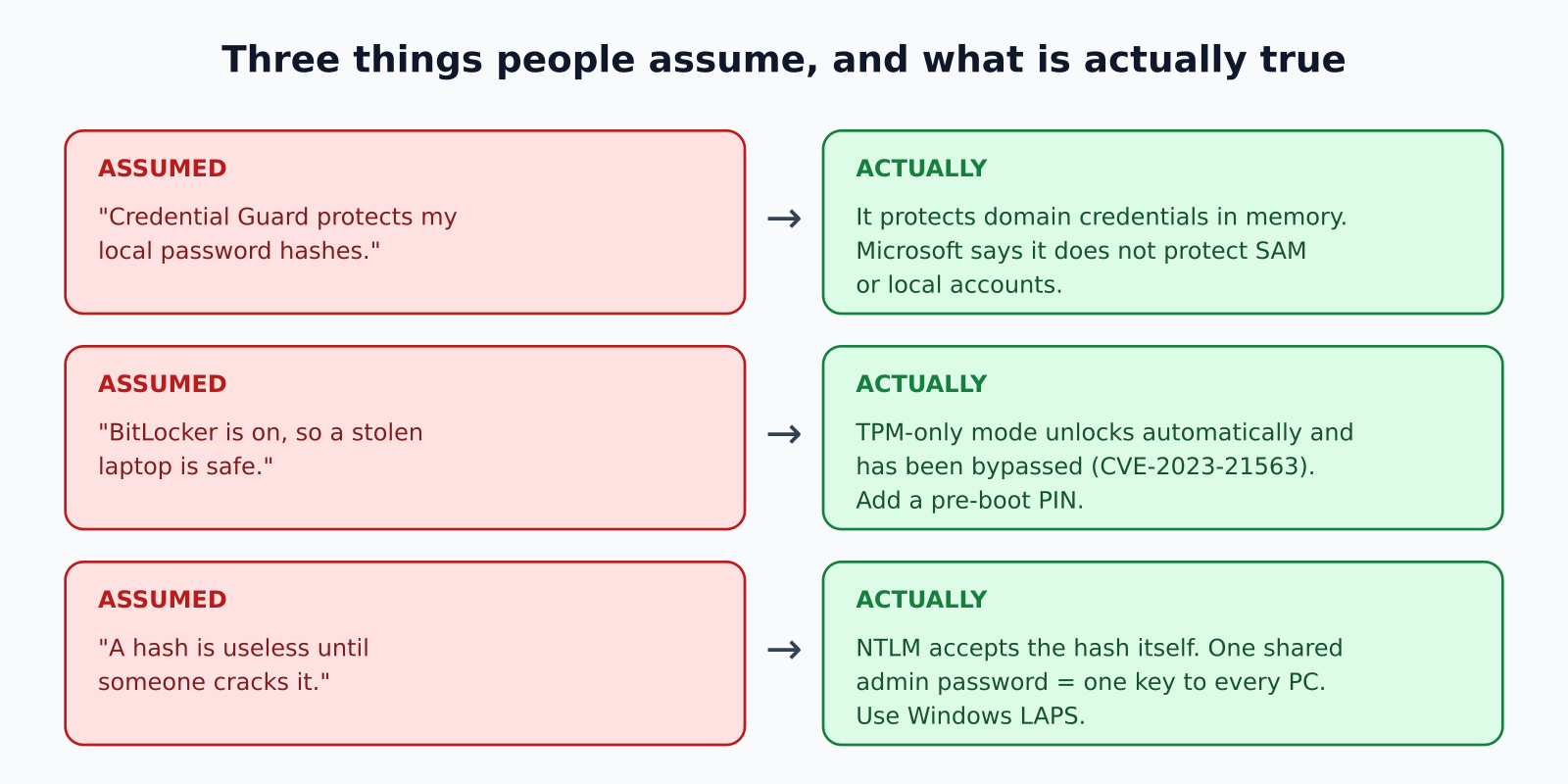
- Credential Guard does not protect SAM. It’s a good feature, but what it protects is domain credentials in memory. Microsoft’s own documentation says it doesn’t cover the SAM database or local accounts.
- “BitLocker is on” doesn’t mean a stolen laptop is safe. In the default TPM-only mode, the disk unlocks automatically whenever the boot looks normal. In December 2024, researchers showed this mode being bypassed on fully updated Windows 11 machines (CVE-2023-21563, “bitpixie”). A pre-boot PIN closes that gap.
- A hash doesn’t need to be cracked to be dangerous. NTLM accepts the hash itself as proof of identity. If every PC shares one local admin password, one stolen hash opens all of them.
What actually works#
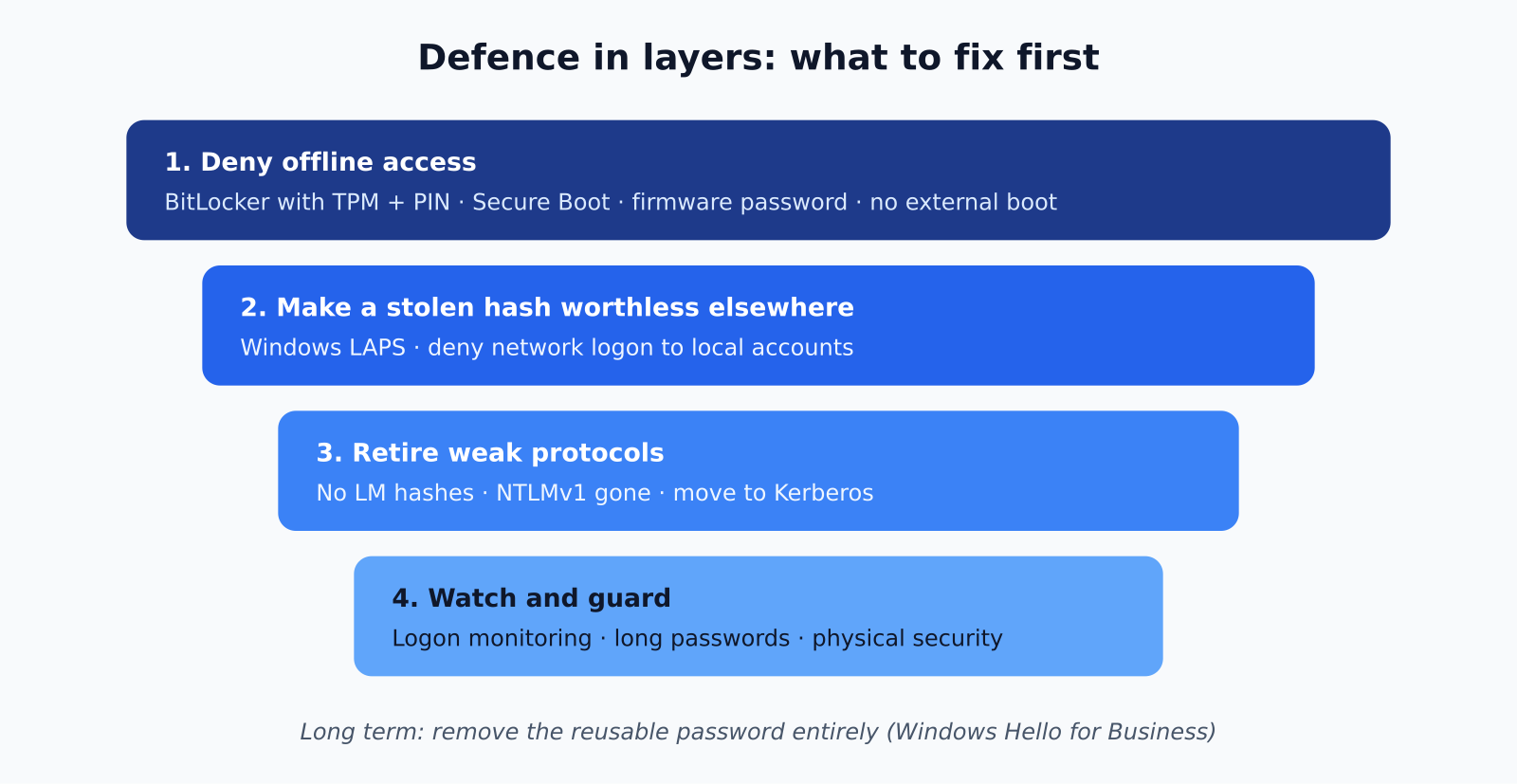
| Priority | Do this | Why |
|---|---|---|
| 1 | BitLocker with TPM + PIN, Secure Boot, firmware password | Stops offline access, which most of the other attacks depend on |
| 2 | Windows LAPS (built in since April 2023) | Gives every PC its own admin password, so a stolen hash only opens one machine |
| 2 | Deny network logon to local accounts (S-1-5-113 / S-1-5-114) |
Stops a stolen local hash being used on any other PC |
| 3 | Drop LM hashes and NTLMv1; move to Kerberos | NTLMv1 is already gone from Windows 11 24H2 and Server 2025 |
| 4 | Long passwords, logon monitoring, physical security | Covers what’s left |
The takeaway#
None of this is a bug waiting for a patch. It’s what you’d expect from a credential store that trusts whatever boots it and keeps its key next to the lock. Owning a security feature and configuring it for the right threat are two different things. The question isn’t whether a device was encrypted. It’s whether it was protected.
Over the long term, the fix is to get rid of the reusable password altogether, which is where Microsoft is heading with NTLM deprecation and Windows Hello for Business.
Based on my paper “Trusting the Boot Environment: Offline Authentication Bypass and the Windows Security Account Manager”. It covers architecture and defences only, with no step-by-step exploitation.
Sources: Microsoft Learn (Credential Guard, BitLocker countermeasures, Windows LAPS) · Microsoft Support KB4025993, KB4488256, KB5066470 · MSRC CVE-2021-36934 and CVE-2023-21563 · NIST SP 800-63B-4 (2025) · Halderman et al., Lest We Remember, USENIX Security 2008